How to Make Your Roshan Data Bundle Last Longer: Practical Data-Saving Tips
Your Roshan data disappearing too fast? Use these practical data-saving settings and habits to stretch your bundle further on Android and iPhone without changing your plan.

First, understand what is eating your data
Before changing anything, it helps to know where your data actually goes. Both Android and iPhone include a data usage screen that ranks your apps by how much they consume, and the results are often surprising. Video streaming, social media with autoplay, and automatic app updates are usually the biggest culprits, while messaging and browsing use comparatively little. Checking this screen once tells you exactly where your savings will come from.
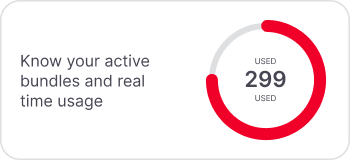
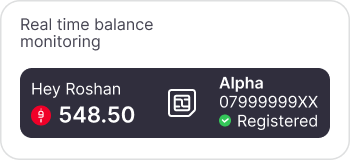
It also helps to confirm your bundle status regularly so you know your real remaining balance rather than guessing. You can check it in seconds using the tools in our USSD and My Roshan app guide.
Turn on your phone's built-in data saver
The single most effective step is switching on the data saver mode that both major phone systems already include. It restricts background data, holds back automatic syncing, and reins in the apps that quietly consume data when you are not even using them.
● On Android, open Settings, go to Network and Internet, then Data Saver, and turn it on.
● On iPhone, open Settings, tap Cellular or Mobile Data, then Mobile Data Options, and enable Low Data Mode.
● You can whitelist essential apps so they still work fully while everything else is limited.
Control app updates and background activity
Automatic updates are one of the quietest and largest drains on a bundle, because a single big app update can consume a noticeable share of your data in one go. The fix is to make updates happen only on Wi-Fi.
● Set your app store to update apps over Wi-Fi only, never on mobile data.
● Turn off background app refresh for apps that do not need to update constantly.
● Disable auto-play for videos in social media apps, which alone can save a large amount.
Tame streaming, the biggest data user
Video is by far the heaviest form of data use, so small changes here produce the biggest savings. You do not have to stop watching, only to watch smarter.
● Lower the streaming quality in video apps, since standard definition uses a fraction of the data of high definition.
● Download music and videos over Wi-Fi to watch or listen offline later.
● Avoid streaming in the background when you are only listening, by downloading instead.
Use Wi-Fi wisely and cache offline
Every megabyte you move to Wi-Fi is a megabyte saved from your bundle. Get into the habit of doing the data-heavy tasks, such as updates, backups, and downloads, whenever you are on a trusted Wi-Fi connection. Many apps also let you save maps, articles, and media for offline use, which means you consume the data once rather than every time you open them.
Match your bundle to your real usage
Sometimes the issue is not waste but a plan that is simply too small for how you live. If you consistently run out despite saving carefully, a larger or better-matched bundle will be cheaper per megabyte than repeatedly buying small top-ups. Compare the options in our internet packages guide and check the current rates on the tariffs page. It is also worth watching the Roshan special offers page, where periodic promotions can add extra data for the same spend.
Frequently asked questions
What uses the most mobile data on my phone?
Video streaming, social media autoplay, and automatic app updates are usually the biggest consumers. Your phone's data usage screen shows the exact breakdown by app.
Does data saver mode make my phone slower?
No. It limits background data and syncing rather than your active use, so the apps you are actually using still work normally.
How can I stop apps updating on mobile data?
Set your app store to update over Wi-Fi only. This prevents large updates from silently draining your bundle.
How do I check how much Roshan data I have left?
Use a balance USSD code or the My Roshan app, both explained in our USSD and My Roshan app guide.
I still run out of data every month. What should I do?
Your plan may be too small. Compare larger bundles in our internet packages guide, which is usually cheaper per megabyte than repeated small top-ups.