Managing Multiple Roshan Numbers in the My Roshan App (2026)
How to add, switch between and manage up to three Roshan numbers in one My Roshan app useful for families and anyone running more than one line.
Many households and small businesses end up managing more than one Roshan number, a personal line and a work line, or several family members' numbers handled by one person. The My Roshan app supports up to three accounts on one login, so you can switch between numbers without signing out and back in each time. This guide covers how multi-account works and where it's genuinely useful.
What does multi-account support actually do?
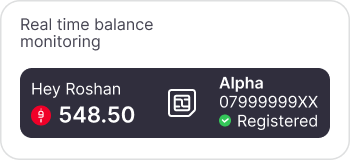
Instead of installing separate app instances or repeatedly logging out and in, the My Roshan app lets you add multiple Roshan numbers to one app session and switch between them from within the app. Each number keeps its own balance, bundles and usage history switching accounts just changes which one you're viewing and managing at that moment.
Who finds multi-account management useful?
• Anyone running both a personal and a work or business Roshan number who doesn't want two separate phones.
• A family member who tops up or manages bundles for parents, children or relatives, which pairs naturally with Roshan's credit share and M-Paisa features.
• Small business owners keep an eye on a couple of company lines without a full business account setup.
How to add a second or third Roshan number to the app
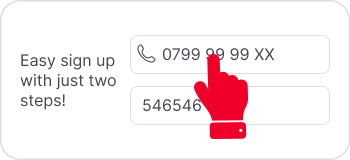
1. Open the My Roshan app and sign in with your primary Roshan number.
2. Go to account settings and look for the option to add another account or number.
3. Enter the additional Roshan number and complete any verification step required for that line.
4. Switch between your added numbers from the account menu whenever you need to check or manage a different line.
Multi-account vs a full business account
The app's built-in multi-account feature is designed for a handful of numbers managed casually by one person useful for families or very small setups. If you're managing a larger team's worth of lines, billing them centrally, or need dedicated business support, that's better handled through a proper business account rather than stretching personal multi-account support further than it's built for.
Frequently asked questions
How many Roshan numbers can I manage in one My Roshan app?
The app supports switching between up to three accounts from a single login, without needing to log out and back in for each number.
Do the numbers share one balance when managed together?
No, each number keeps its own separate balance, bundles and usage history. Multi-account switching only changes which number's details you're viewing.
Can I top up a family member's Roshan number from my app?
If you've added their number as one of your linked accounts, you can manage it directly, or use credit share and M-Paisa to send balance to a number that isn't linked in your app.
Is a multi-account the same as a business account?
No. Multi-account is a casual, personal-use feature for a few numbers. A larger team's worth of lines with centralised billing is better suited to a dedicated business account.
What do I need to add a second number to my app?
You'll typically need the additional Roshan number itself and to complete whatever verification step the app requires for that line.
Can I remove a number I've added later?
Yes, linked numbers can generally be removed from account settings if you no longer need to manage them from that app login.